
Accred Assess

Know where you stand before AI rolls out.
Build an AI governance readiness plan for Microsoft 365, Copilot, Claude, and ChatGPT.
Works with your AI assistantWhat it is and is not
A free assessment starts without an account. Read-only Microsoft discovery is live when your tenant permits it, and what it observes never changes the score. Framework results are advisory readiness, not compliance or certification. Microsoft publisher verification for Assess is still in progress, so the Microsoft consent screen may show the app as unverified.
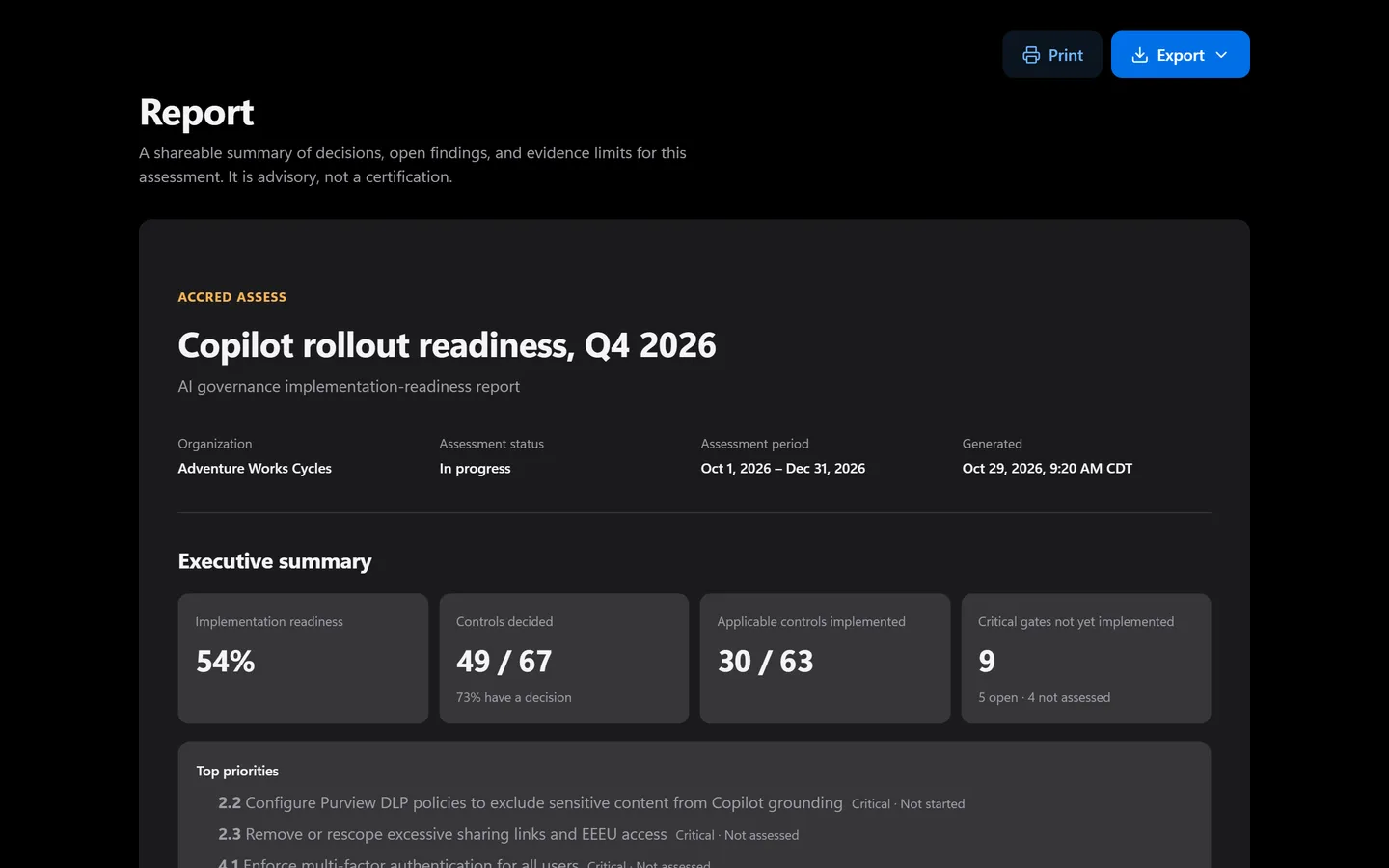
Prefer to click? It’s all in the app too.
Everything the assistant does has a screen. Shown with sample data.
- Controls decided and implemented
- Implementation readiness, scored
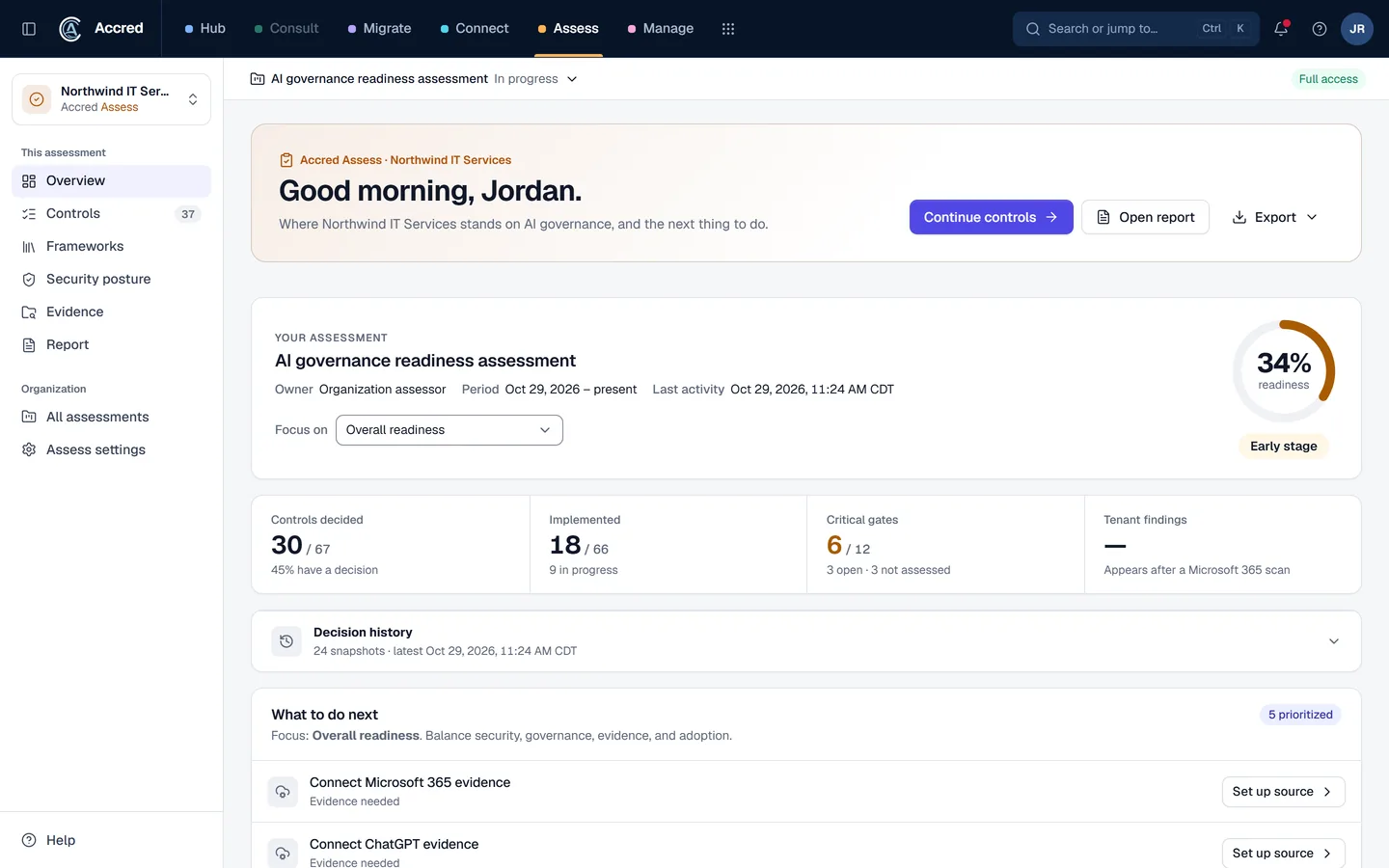
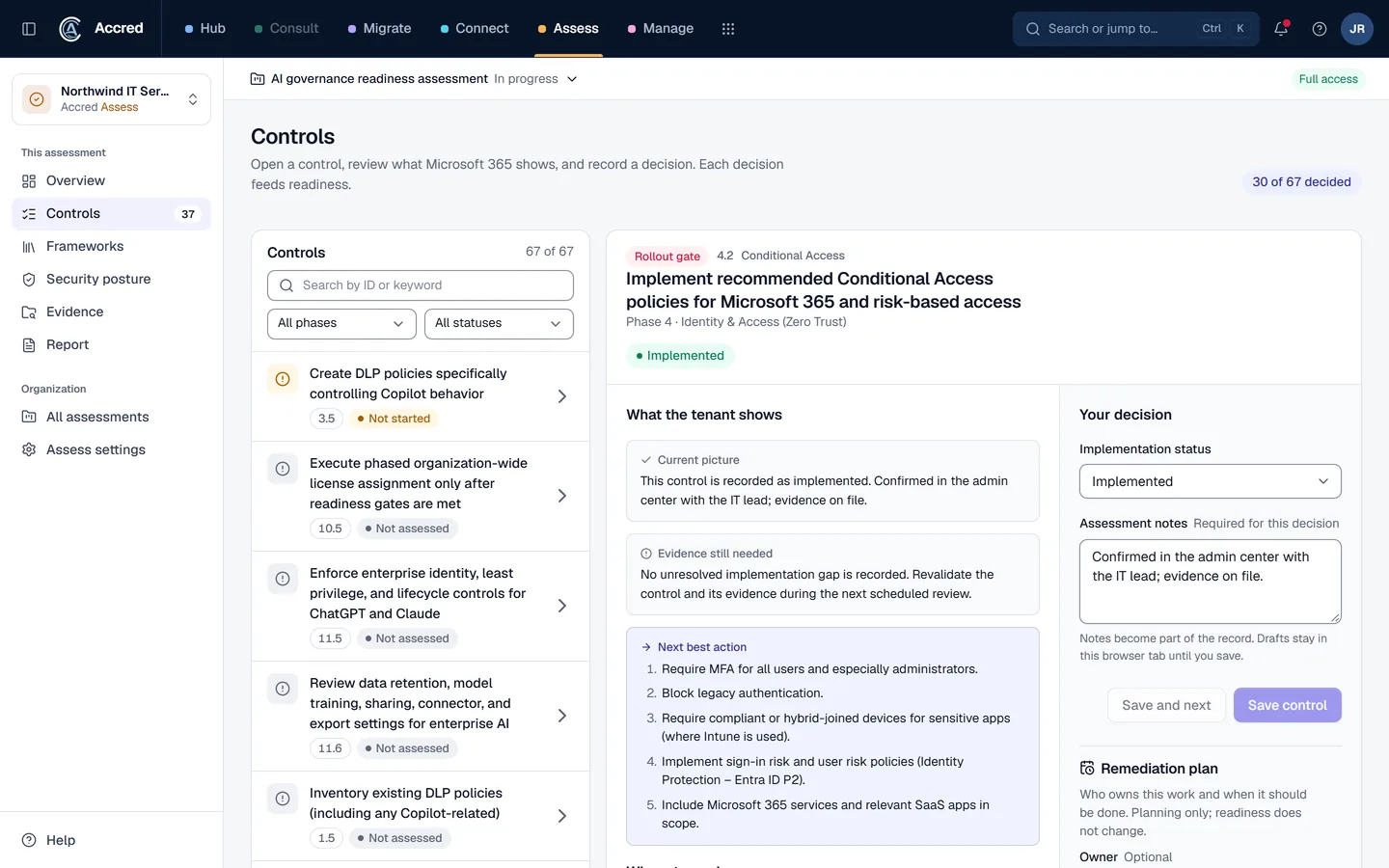
What Assess does today.
Governance control plan and frameworks
Work through 67 implementation controls with phase progress, priorities, notes, and status, then check frameworks such as HIPAA, SOC 2, and NIST AI RMF against those decisions.
Microsoft 365 and Copilot evidence
Run read-only Microsoft discovery when your tenant access, permissions, and licensing allow; what it observes stays separate from the readiness score.
Claude and ChatGPT evidence paths
Use supported Anthropic Admin API checks or import administrator analytics, including aggregate ChatGPT and Codex activity.
Security posture, fix plan, and report
Grade company-wide security posture across 118 checks, record evidence notes, upload evidence files, turn evaluated findings into a prioritized fix plan, and share an advisory readiness report.
Let the agent do it. You stay in charge.
Ask how ready a client is, then plan the gaps. Readiness is advisory guidance, not certification.
- You
How ready is Contoso for Copilot? Plan the open controls.
- Checked readinessControls decided and implemented
- Listed open controlsOpen controls, by priority
- Proposed changeSet a plan and owner on three open controlsYou said yes
- Saved control plansPlans saved
- Built the reportReadiness report ready
- Assistant
Plans saved and the report is ready. Advisory, not certification.
- Ask
- Investigate
- Approve
- Done and logged
Assess audit log
- Control plans set by you, via your assistant
- Readiness report generated
An example with sample data.
Safe to hand over. Your rules, your access, your log.
Security- Your access, nothing moreYour assistant can do what your account can do. Hub checks your role on every request.
- A yes before changesYou choose Read only, or Read and make changes, when you connect. Changes check with you first.
- Logged as youEvery change is recorded in the app’s audit log as made by you, via your assistant.
- Microsoft consent firstNothing connects to a tenant until an administrator grants Microsoft consent.
Questions about Assess
What is Accred Assess?
Assess combines a proven governance control baseline with read-only Microsoft discovery and imported evidence.
- What discovery observes is kept apart from your assessors’ answers, so it never changes the readiness score.
- Results are advisory readiness guidance, not compliance, legal assurance, or certification.
Who is Accred Assess for?
Choose Assess when you need an evidence-aware AI governance readiness view and a concrete implementation plan.
- Built for: AI governance leads, Microsoft 365 architects, Implementation teams.
What is the current availability of Accred Assess?
A free assessment starts without an account.
- Read-only Microsoft discovery is live when your tenant permits it, and what it observes never changes the score.
- Framework results are advisory readiness, not compliance or certification.
- Microsoft publisher verification for Assess is still in progress, so the Microsoft consent screen may show the app as unverified.
How much does Accred Assess cost?
Free to start without an account.
- The expanded assessment is $99 one-time per organization.
How do I get started with Accred Assess?
Assess starts without an account.
- In Hub, every active member gets Assess with no seat needed and can return to the organization’s saved workspace.
How does Assess fit with the other Accred apps?
Assess provides advisory readiness and evidence review; it does not change tenant configuration, determine compliance, or issue certification.
- Hub can retain the assessment for an organization, while Manage owns tenant administration.
Further reading
Every guide- What is an AI governance readiness score?How Accred Assess scores AI governance readiness: implemented controls count fully, in-progress half, and not-applicable ones are left out. With an example.
- How do you turn SharePoint oversharing reports into a Copilot readiness plan?Run the SharePoint data access governance reports, import the export into Accred Assess, and work its oversharing findings into your Copilot readiness plan.
- How do you check a Microsoft 365 tenant against a Conditional Access baseline?Accred Manage rates six Conditional Access controls as met, partial, not evaluated, or a gap. What each result means, and a short how-to for closing a gap.
- How do you track Microsoft Secure Score and catch a drop?Accred Manage shows Secure Score, its daily trend, and the actions worth the most points, and flags a drop of 5 points or more. How to read it and act on it.
- Microsoft 365 software for MSPsWhich MSP jobs Accred covers today, from client delivery and migrations to tenant administration, backup, and licensing, and what is not there yet.
What Assess costs.
$0to start, no account
Free to start without an account. The expanded assessment is $99 one-time per organization.