
Accred Hub

One sign-in. Every Accred app.
One sign-in for your team: organizations, roles, app access, seats, and billing for the whole Accred suite.
Works with your AI assistantWhat works today
Sign-in, organizations, roles, app access, and launch are live. Every active member gets Assess and every role except Viewer gets Manage, with no seat needed. Connect comes with Consult + Connect seats: Owners and Admins on one are technicians. Consult is turned on for the organization and assigned person by person. Migrate has no seats: once an Owner or Admin turns it on, every member can open it. Hub emails invitations from no-reply@hub.accredconsulting.com, and owners can also copy a shareable invite link.
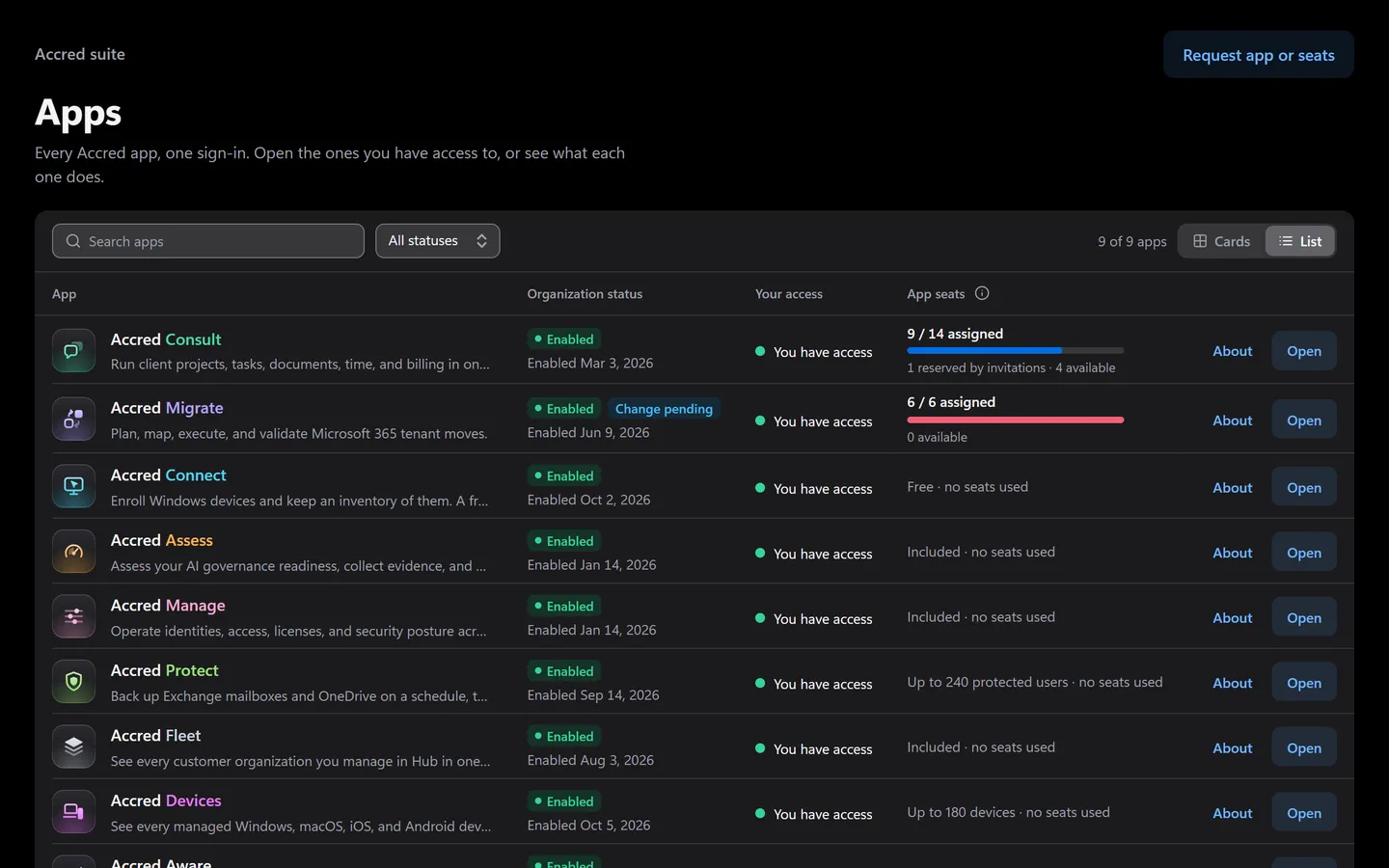
Prefer to click? It’s all in the app too.
Everything the assistant does has a screen. Shown with sample data.
- Your access in each app
- App seats in one place
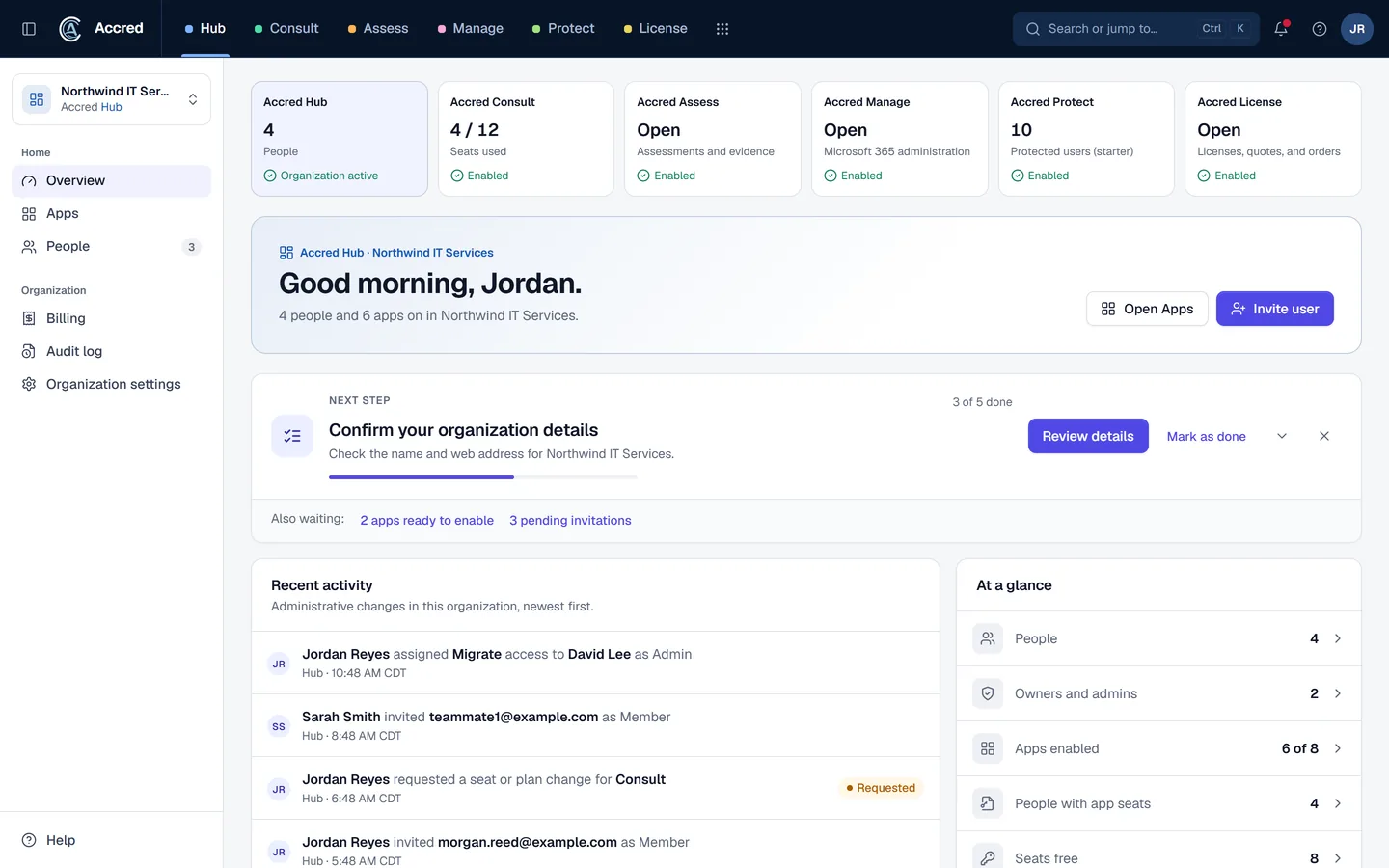
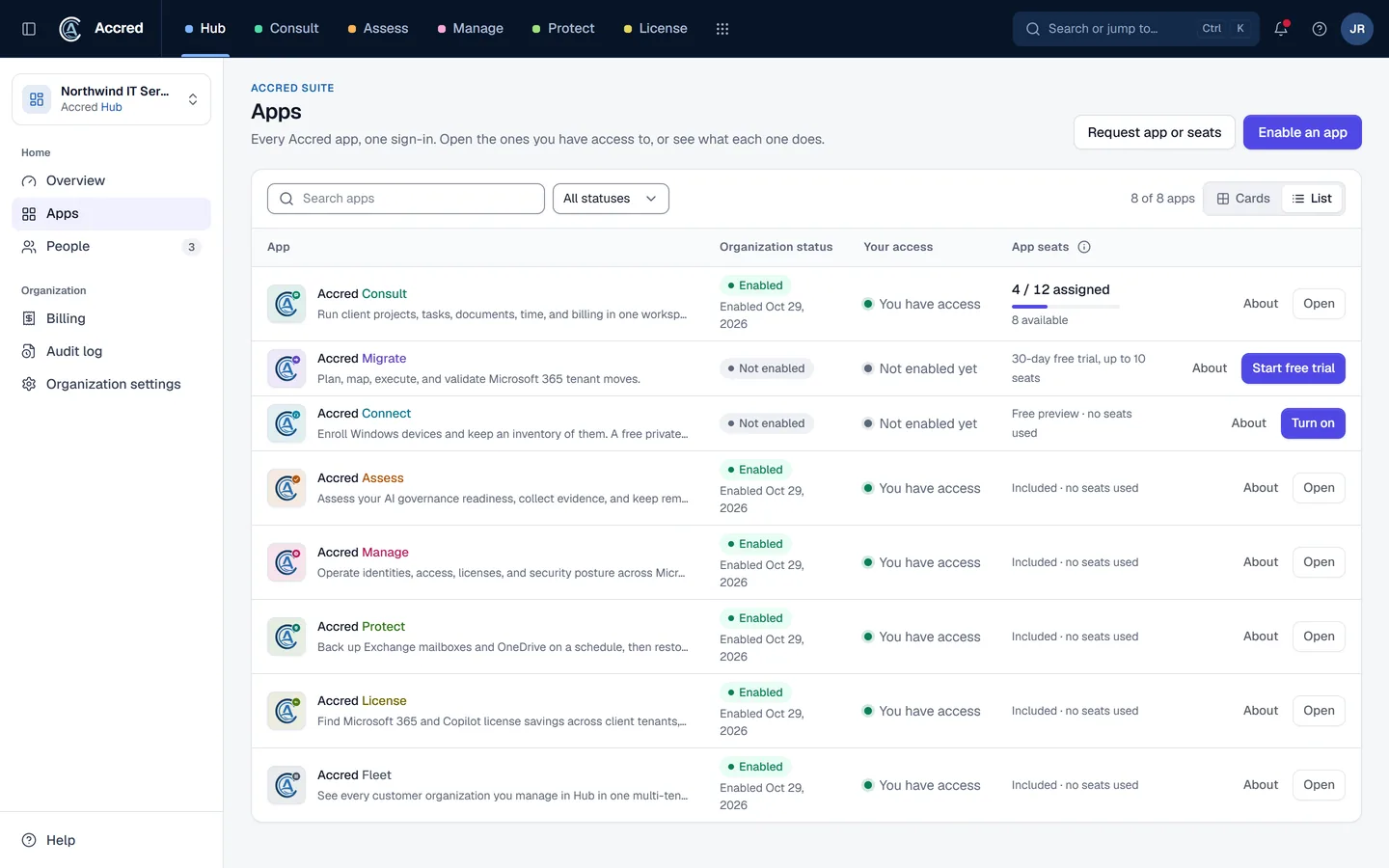
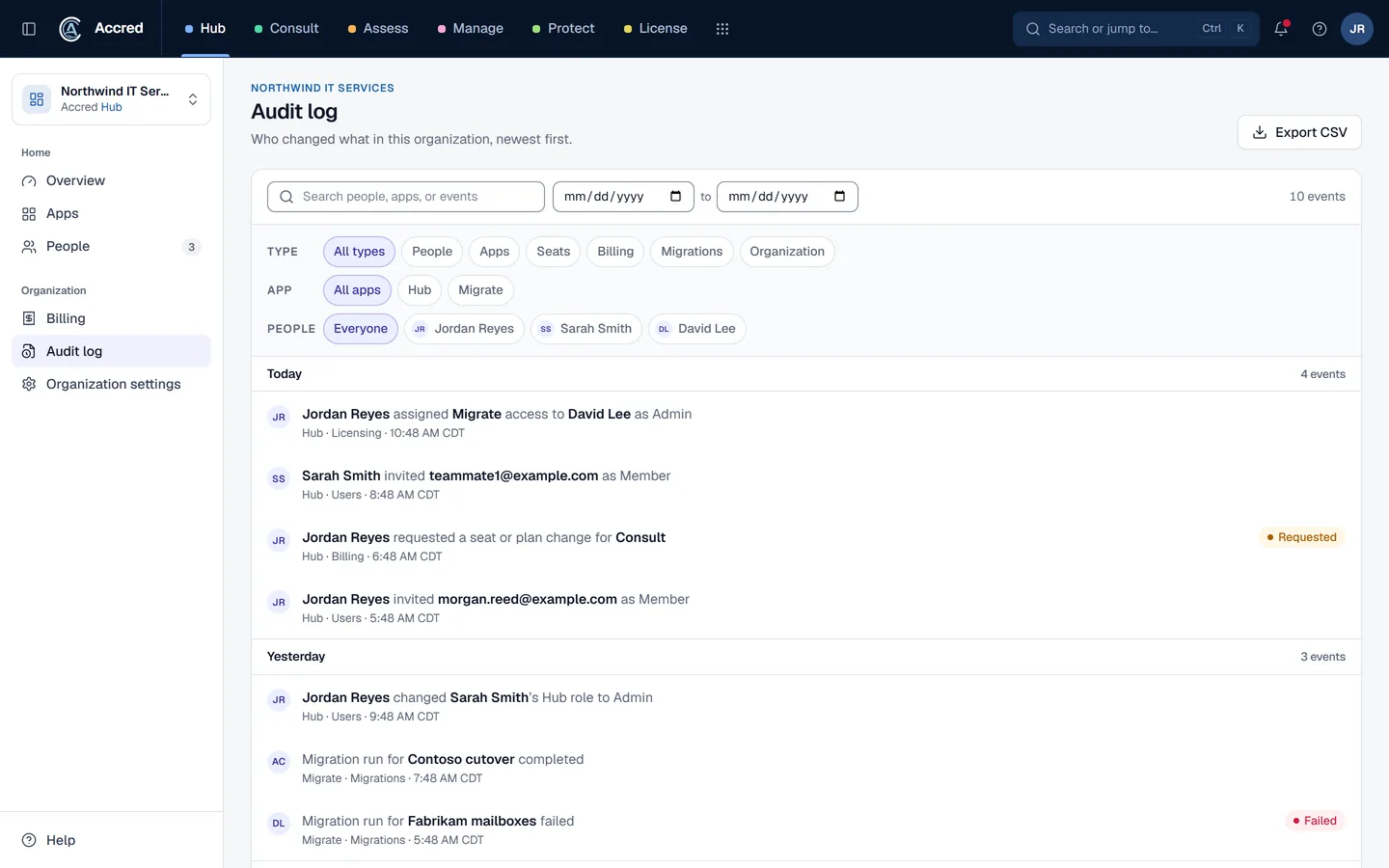
What Hub does today.
Suite sign-in and launch
Authenticate in Hub and launch a provisioned application with the active organization context.
Organizations and membership
Manage your organization, members, roles, and invitations. Owners invite people by email or with a shareable invite link.
App access by role and seat
Every active member gets Assess, and every role except Viewer gets Manage, with no seat needed. Connect comes with Consult + Connect seats: Owners and Admins on one are technicians. Consult is turned on for the organization and assigned person by person. Migrate has no seats: once an Owner or Admin turns it on, every member can open it.
Billing, audit log, and app switching
Buy or change plans by card, request a quote, review invoices, read administrative changes as plain sentences in the audit log, and open any provisioned app from the top-bar tabs.
Let the agent do it. You stay in charge.
Ask who can open what, or what changed. Your assistant reads Hub as you, with your access and nothing more.
- You
Who can open Migrate, and who did we invite this week?
- Checked app accessMigrate access by person
- Listed invitationsInvitations sent this week
- Read the audit logWho changed access, and when
- Assistant
Here is who can open Migrate, this week’s invitations, and who changed access.
- Ask
- Investigate
- Approve
- Done and logged
Hub audit log
- Read app access
- Read invitations
- Read the audit log
An example with sample data.
Safe to hand over. Your rules, your access, your log.
Security- Your access, nothing moreYour assistant can do what your account can do. Hub checks your role on every request.
- A yes before changesYou choose Read only, or Read and make changes, when you connect. Changes check with you first.
- Logged as youEvery change is recorded in the app’s audit log as made by you, via your assistant.
- Microsoft consent firstNothing connects to a tenant until an administrator grants Microsoft consent.
Questions about Hub
What is Accred Hub?
Hub gives Microsoft 365 consulting organizations one governed entry point into the Accred suite while each specialist application keeps ownership of its operational data.
Who is Accred Hub for?
Choose Hub when you need to sign in, choose an organization, manage access, or launch a provisioned app.
- Built for: Organization owners, Suite administrators, Operations leaders.
What is the current availability of Accred Hub?
Sign-in, organizations, roles, app access, and launch are live.
- Every active member gets Assess and every role except Viewer gets Manage, with no seat needed.
- Connect comes with Consult + Connect seats: Owners and Admins on one are technicians.
- Consult is turned on for the organization and assigned person by person.
- Migrate has no seats: once an Owner or Admin turns it on, every member can open it.
- Hub emails invitations from no-reply@hub.accredconsulting.com, and owners can also copy a shareable invite link.
How much does Accred Hub cost?
Free for every member of your organization.
How do I get started with Accred Hub?
Create your organization and become its Owner, or sign in to see the organization and apps already available to you.
How does Hub fit with the other Accred apps?
Hub governs suite access and launch.
- Consult, Migrate, Connect, Assess, and Manage retain their own focused workflows and operational records.
Further reading
Every guide- What is GDAP (granular delegated admin privileges)?GDAP gives a Microsoft partner least-privileged, time-bound admin roles in a customer tenant for up to two years. How it works and how it replaced DAP.
- Microsoft 365 software for MSPsWhich MSP jobs Accred covers today, from client delivery and migrations to tenant administration, backup, and licensing, and what is not there yet.
- Microsoft 365 software for internal IT teamsHow an in-house IT team can use Accred to administer its own Microsoft 365 tenant, check Copilot readiness, enroll devices, and plan a tenant migration.
- Accred documentationQuick starts for Hub and all ten Accred apps: create your organization, then set up each app. Plus roles, seats, access, and help.
- Roles, seats, and app accessWhich Accred roles can open which apps, which apps need a seat, and how trials, invitations, and the audit log work in Accred Hub.