
Accred Fleet

Every customer in one view.
Accred Fleet is a multi-tenant view for managed service providers.
Works with your AI assistantFree
Fleet is open in Accred Hub and free for every Accred organization. Sign in to Hub and open it from the app list. Every role can open it; Viewers can look but not change anything. Today Fleet lists your customer organizations from Hub. Health, GDAP status, drift, and the Manage and Protect roll-ups show “No sources connected yet” until those connections are turned on.
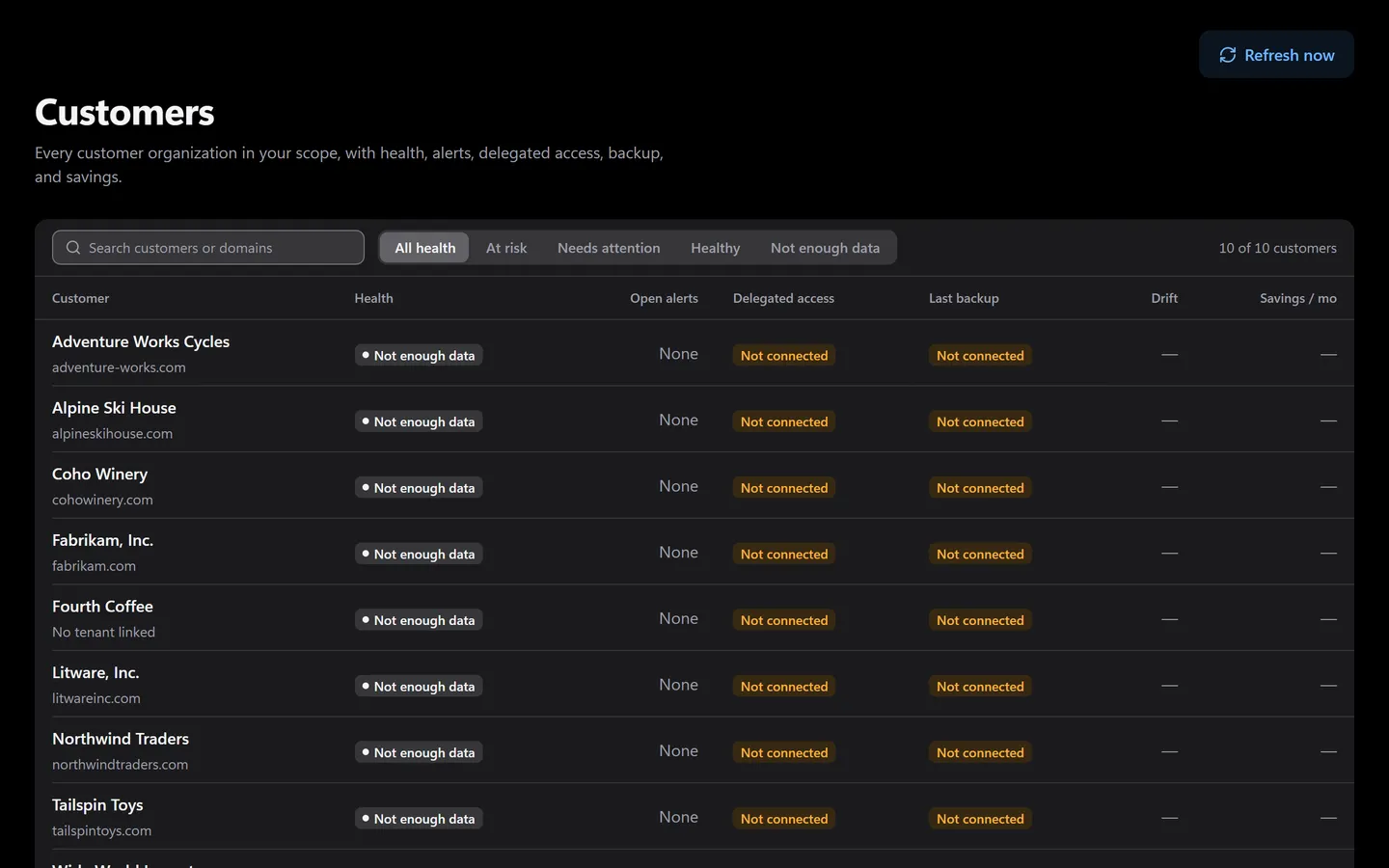
Prefer to click? It’s all in the app too.
Everything the assistant does has a screen. Shown with sample data.
- Health and open alerts per customer
- Delegated access, backup, and savings
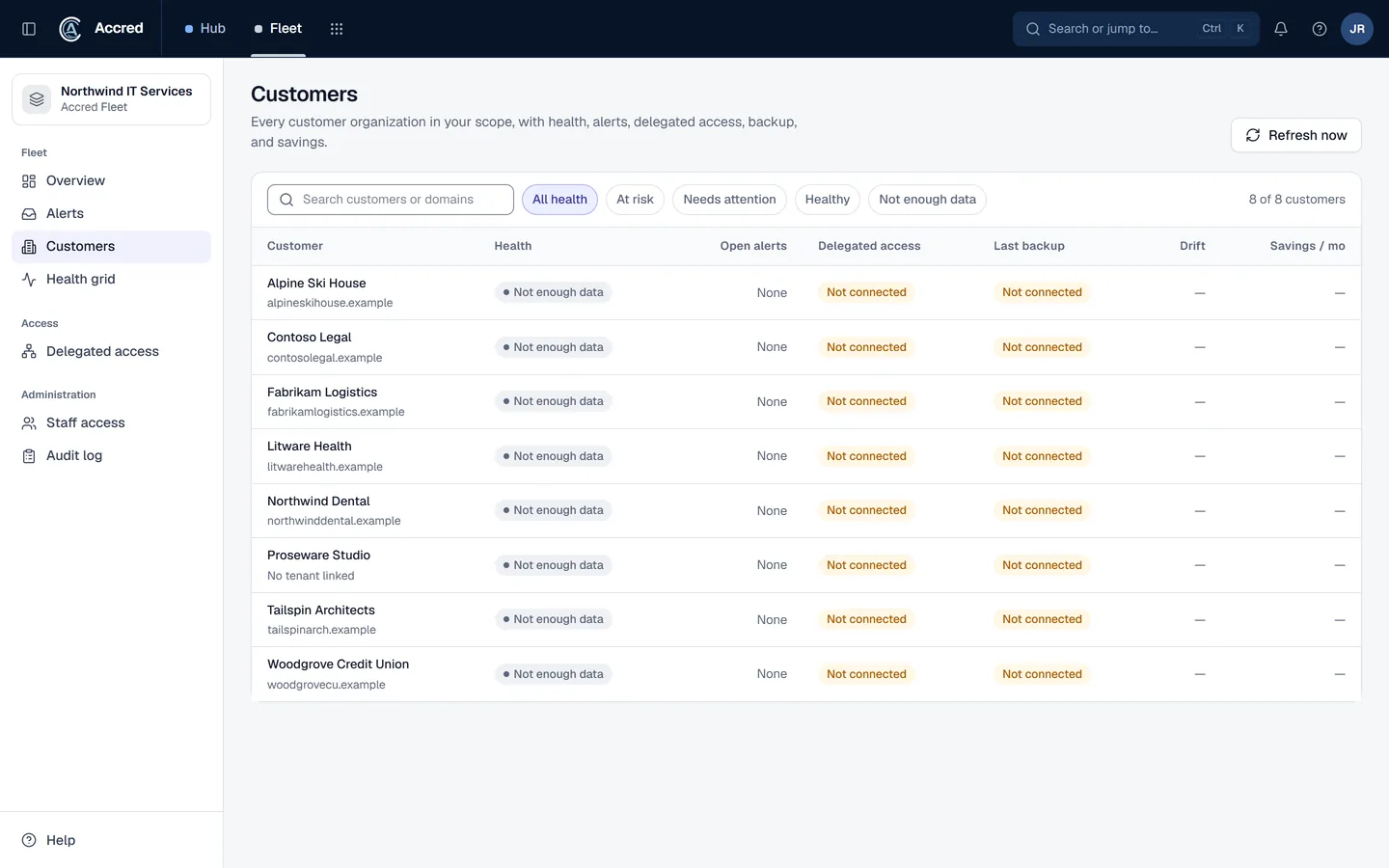
What Fleet does today.
Every customer organization from Hub in one list
Staff access set per person: all customers or an assigned list
Cross-customer alert inbox: assign, acknowledge, resolve, and reopen
Built for health, GDAP status, drift, and roll-ups from Manage and Protect; those sources are not connected yet
Let the agent do it. You stay in charge.
Ask what is open across every customer, then hand it to the right person. Changes are logged as you.
- You
What is open across our customers today? Give Northwind’s to Alex.
- Listed customersEvery customer organization
- Listed alertsOpen alerts by customer
- Proposed changeAssign Northwind’s alert to AlexYou said yes
- Assigned the alertAssigned to Alex
- Assistant
Here is what is open. Northwind’s alert is with Alex.
- Ask
- Investigate
- Approve
- Done and logged
Fleet audit log
- Alert assigned by you, via your assistant
An example with sample data.
Safe to hand over. Your rules, your access, your log.
Security- Your access, nothing moreYour assistant can do what your account can do. Hub checks your role on every request.
- A yes before changesYou choose Read only, or Read and make changes, when you connect. Changes check with you first.
- Logged as youEvery change is recorded in the app’s audit log as made by you, via your assistant.
- Microsoft consent firstNothing connects to a tenant until an administrator grants Microsoft consent.
What Fleet shows today, and what is not connected yet
Today Fleet lists every customer organization you manage in Accred Hub. Data loads when you open a page; there is no scheduled refresh. These views are built, but their sources are not connected yet, so each one shows “No sources connected yet”:
- A health summary and open alert count for each customer.
- GDAP relationship status for each customer, including relationships that are close to expiring or missing roles Fleet needs.
- Baseline drift: where a tenant no longer matches the settings you expect.
- Roll-ups from Accred Manage (findings and license savings) and Accred Protect (backup status).
Who sees which customers
Owners and Admins set each staff member’s access: all customers, including future ones, or an assigned list. A staff member with no access set sees no customers. The check runs on the server before any data leaves it.
Why Fleet is a separate app
Accred Manage works in one client tenant at a time, switched with the client picker, and has no combined view across tenants. Fleet is the cross-client layer above it. Until its sources are connected, MSPs comparing multi-tenant tools can read the Manage, CoreView, and Lighthouse comparison.
Questions about Fleet
Is Accred Fleet available?
Yes. Fleet is open in Accred Hub and free for every Accred organization.
- Today it lists your customer organizations from Hub; health, GDAP status, drift, and roll-ups from other apps are not connected yet.
Does Accred Fleet use GDAP?
Fleet is built to show the status of each customer’s granular delegated admin privileges (GDAP) relationship, including relationships that are expiring or missing roles it needs.
- GDAP reads are not connected yet, so Fleet shows “No sources connected yet” in their place.
How is Accred Fleet different from Accred Manage?
Manage administers one client’s Microsoft 365 tenant at a time, switched with the client picker.
- Fleet is a view across many customer organizations, built to roll up what Manage and Protect report once those sources are connected.
Further reading
Every guide- What is GDAP (granular delegated admin privileges)?GDAP gives a Microsoft partner least-privileged, time-bound admin roles in a customer tenant for up to two years. How it works and how it replaced DAP.
- Microsoft 365 Lighthouse, CoreView, and Accred Manage comparedLighthouse is Microsoft’s free multi-tenant portal for CSP partners; CoreView is a paid M365 management platform; Accred Manage is free per client tenant.
- Microsoft 365 software for MSPsWhich MSP jobs Accred covers today, from client delivery and migrations to tenant administration, backup, and licensing, and what is not there yet.
Fleet is free.
$0for every Accred organization
Fleet is free for every Accred organization, and so is Hub.