
Accred Manage

See what changed. Fix what matters.
Administer a Microsoft 365 tenant with findings, access reviews, and changes that end in a clear verified, pending, or failed result.
Works with your AI assistantWhat works today
Manage works in one client’s Microsoft 365 tenant at a time: add a client in Hub for each tenant and switch with the client picker. It is not a single cross-tenant dashboard; Fleet is the cross-client view. Single changes, such as removing a group member, run after a confirmation without a second approver; every change is logged. Onboarding, offboarding, compromise response, and access-review removals need a second owner or administrator to approve. Teams Phone is read-only and makes no number assignments; it shows as unavailable until three added read-only Microsoft permissions are granted for your tenant, and it links the Teams admin center for call routing, emergency locations, and call quality.
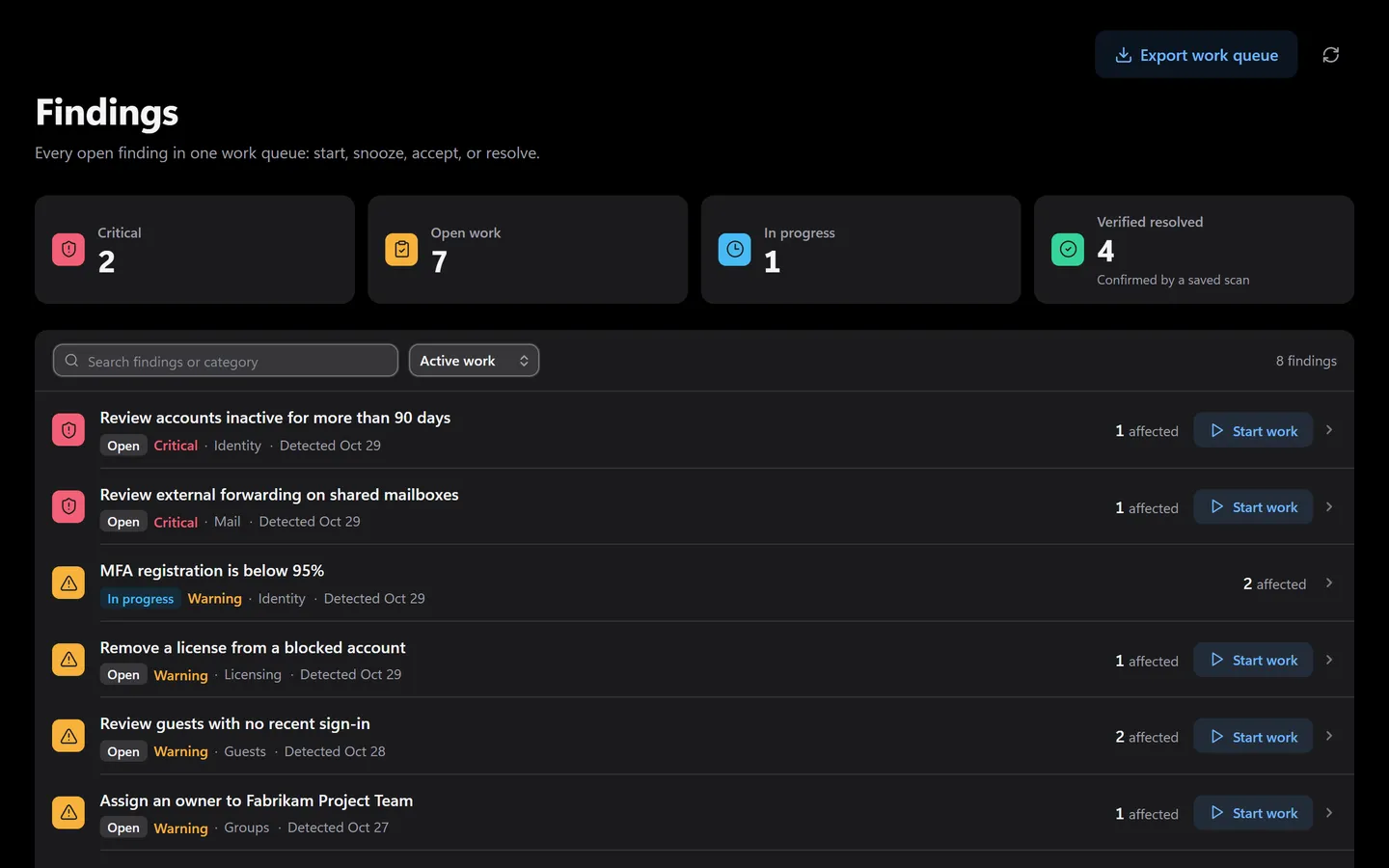
Prefer to click? It’s all in the app too.
Everything the assistant does has a screen. Shown with sample data.
- Severity and affected accounts per finding
- Open work in one view
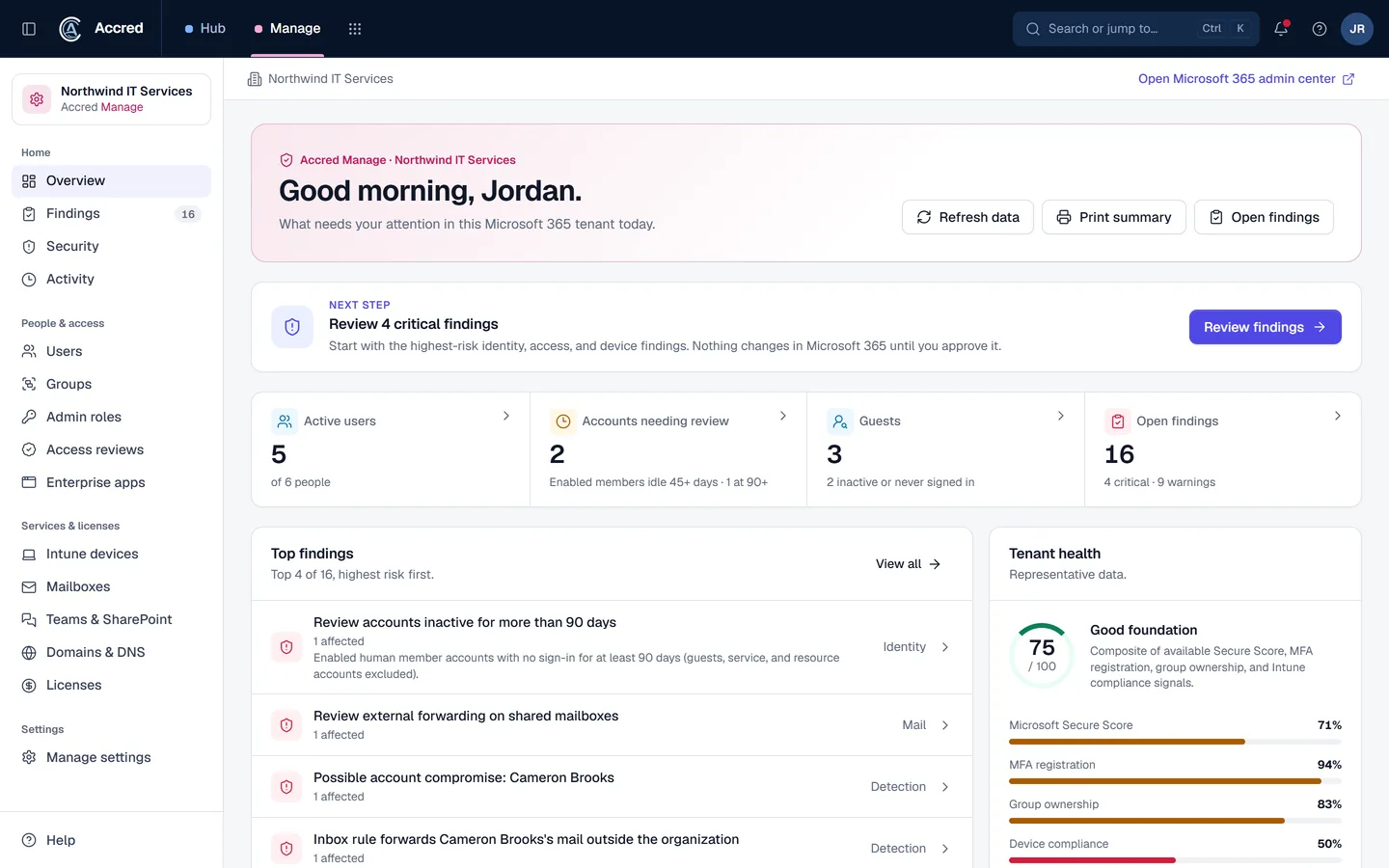
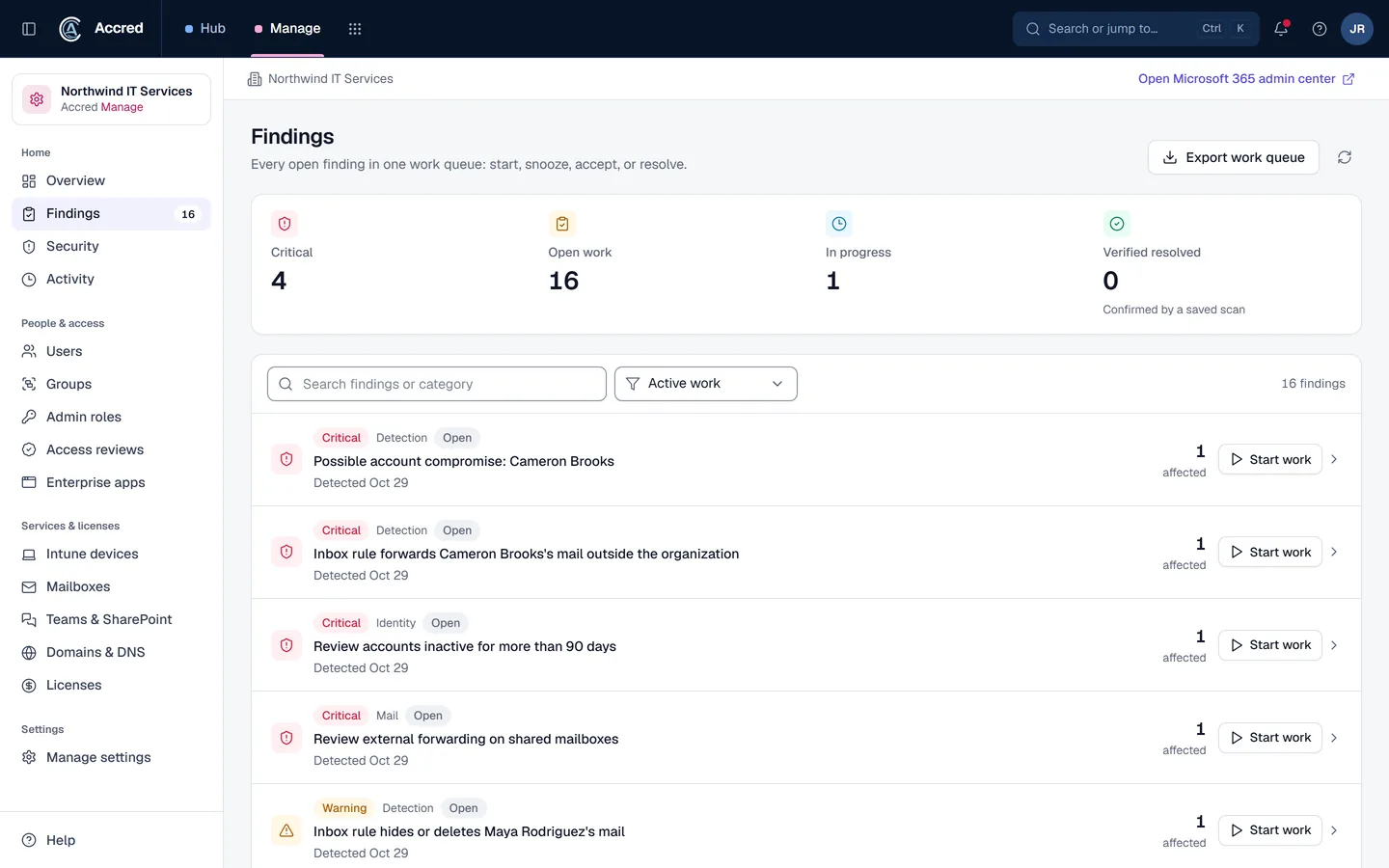
What Manage does today.
Findings and tenant changes
Own findings, review persistent snapshots, inspect before-and-after state, and verify supported changes.
Identity and access governance
Review users, guests, groups, applications, and access-review campaigns. Access-review removals need a second owner or administrator to approve, and Manage reports each change complete only after Microsoft confirms the new state.
Security posture and tenant coverage
See Conditional Access baseline gaps, Secure Score and its trend, MFA methods, privileged roles, risky sign-ins, and Defender alerts. Review a read-only Teams Phone inventory: phone numbers by type and who holds them, voice users and their licenses, the resource accounts behind auto attendants and call queues, and 30-day outside-call counts, with findings such as unused Teams Phone licenses. Work across licensing, Intune devices, collaboration spaces, domains, usage, service health, and supported mailbox inventory.
Guided change workflows
Follow new-joiner and access-review workflows that end in a clear verified, pending, partial, failed, or manual result.
Licensing
Accred License now lives in Manage, under Licensing: Microsoft 365 license optimization per client with an estimated monthly saving, quotes, orders that a second person approves, and renewals, through Ingram Micro. Orders are simulated for now: nothing is sent to Ingram Micro or billed.
Let the agent do it. You stay in charge.
Ask what changed and what is critical. Your assistant reads the last tenant sync, and checks with you before it changes anything.
- You
What changed in Tailspin’s tenant this week? Anything critical?
- Checked syncLast sync this morning
- Listed recent changesChanges this week
- Listed findingsCritical findings first
- Proposed changeMark the MFA finding in progressYou said yes
- Updated the findingFinding in progress
- Assistant
Here is what changed, and the critical finding is now in progress.
- Ask
- Investigate
- Approve
- Done and logged
Manage audit log
- Finding marked in progress by you, via your assistant
An example with sample data.
Safe to hand over. Your rules, your access, your log.
Security- Your access, nothing moreYour assistant can do what your account can do. Hub checks your role on every request.
- A yes before changesYou choose Read only, or Read and make changes, when you connect. Changes check with you first.
- Logged as youEvery change is recorded in the app’s audit log as made by you, via your assistant.
- Microsoft consent firstNothing connects to a tenant until an administrator grants Microsoft consent.
Questions about Manage
What is Accred Manage?
Manage is the Microsoft 365 administration and governance workspace for one client’s tenant at a time, switched with the client picker, with persistent findings and clear verified, pending, partial, failed, and manual results.
- Onboarding, offboarding, compromise response, and access-review removals need a second owner or administrator to approve.
- Single changes, such as removing a group member, run after a confirmation without a second approver; every change is logged.
Who is Accred Manage for?
Choose Manage when you need ongoing Microsoft 365 tenant administration, change accountability, access governance, or configuration oversight.
- Built for: Microsoft 365 administrators, Governance teams, Tenant service operators.
What is the current availability of Accred Manage?
Manage works in one client’s Microsoft 365 tenant at a time: add a client in Hub for each tenant and switch with the client picker.
- It is not a single cross-tenant dashboard; Fleet is the cross-client view.
- Single changes, such as removing a group member, run after a confirmation without a second approver; every change is logged.
- Onboarding, offboarding, compromise response, and access-review removals need a second owner or administrator to approve.
- Teams Phone is read-only and makes no number assignments; it shows as unavailable until three added read-only Microsoft permissions are granted for your tenant, and it links the Teams admin center for call routing, emergency locations, and call quality.
How much does Accred Manage cost?
Free for every role except Viewer, for every client’s tenant.
How do I get started with Accred Manage?
Create your organization in Hub, or sign in.
- Manage is included for every active role except Viewer, with no seat needed, and asks you to connect your tenant and grant consent.
How does Manage fit with the other Accred apps?
Manage owns connected-tenant administration and governance.
- Assess identifies readiness and evidence gaps; Hub governs who may open the organization’s Manage workspace.
Further reading
Every guide- Microsoft 365 Lighthouse, CoreView, and Accred Manage comparedLighthouse is Microsoft’s free multi-tenant portal for CSP partners; CoreView is a paid M365 management platform; Accred Manage is free per client tenant.
- When can you reduce Microsoft 365 licenses under NCE?Under Microsoft’s new commerce experience you can cancel or reduce licenses only in the first 7 days (168 hours) of a term. What that means for license savings.
- What is configuration drift in Microsoft 365?Configuration drift is when a Microsoft 365 tenant’s settings move away from the baseline you intended. Common causes, examples, and how to detect it.
- What is an access review in Microsoft Entra ID?An access review checks that people still need their group, app, or role access, and removes what they do not. How it works and which licenses it needs.
- How do you check a Microsoft 365 tenant against a Conditional Access baseline?Accred Manage rates six Conditional Access controls as met, partial, not evaluated, or a gap. What each result means, and a short how-to for closing a gap.
What Manage costs.
$0for every role except Viewer
Free for every role except Viewer, for every client’s tenant.