
Accred Migrate

Tenant moves, wave by wave.
Plan tenant-to-tenant moves by client, map identities, and run staged waves from one place.
Works with your AI assistantWhat works today
Scans, prechecks, and validation are read-only and never write to the destination tenant. Runs execute on a secure runner that must be online. Its support matrix marks each item as tested live between Accred test tenants or tested with recorded data, and items it does not mark as tested are not available for customer migrations. Cancelling a run does not roll it back. Migration capacity is billed per migrated object (mailbox, OneDrive, site, team, or group); per-object prices are on the Pricing page.
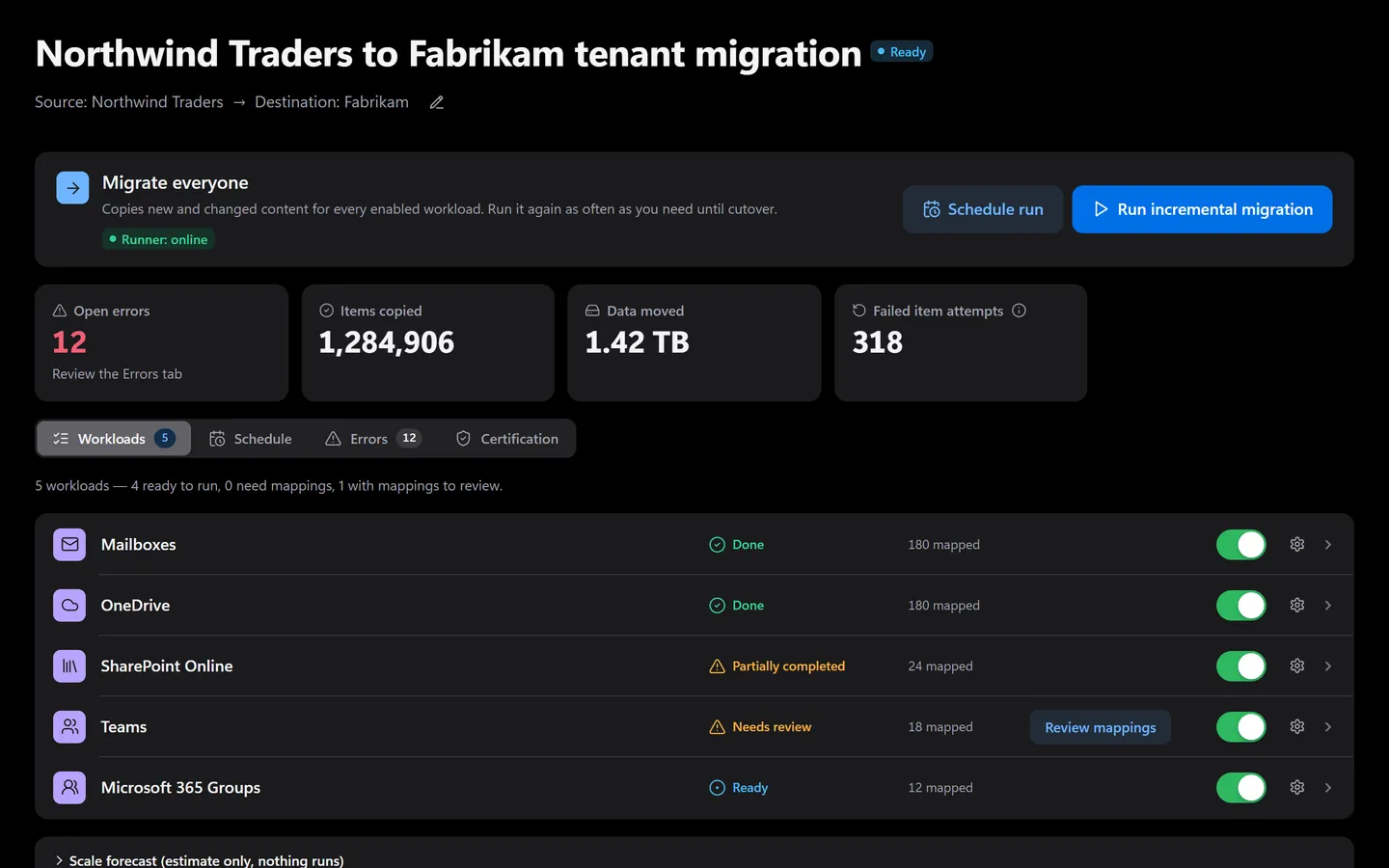
Prefer to click? It’s all in the app too.
Everything the assistant does has a screen. Shown with sample data.
- Items copied and data moved
- The state of each workload
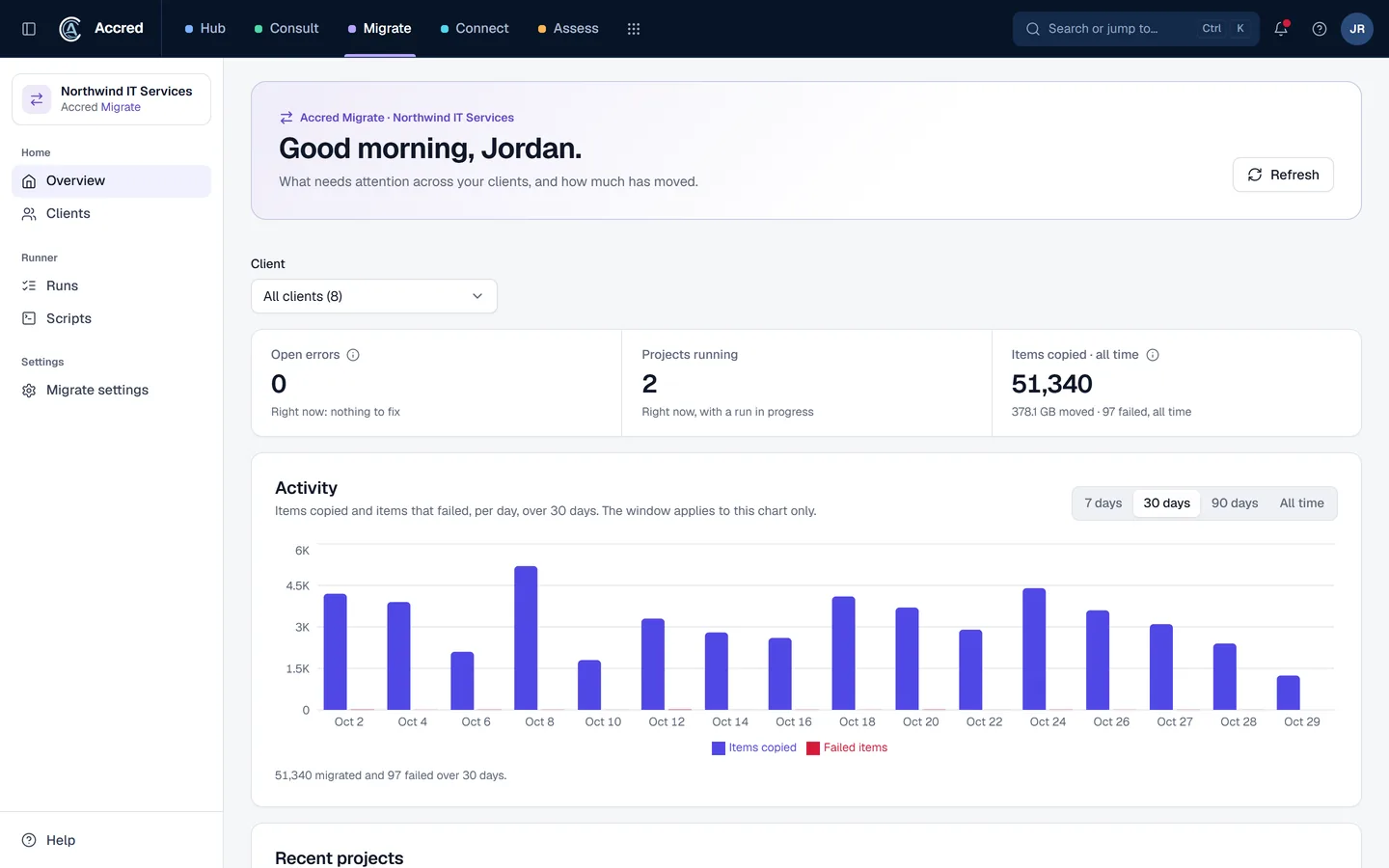
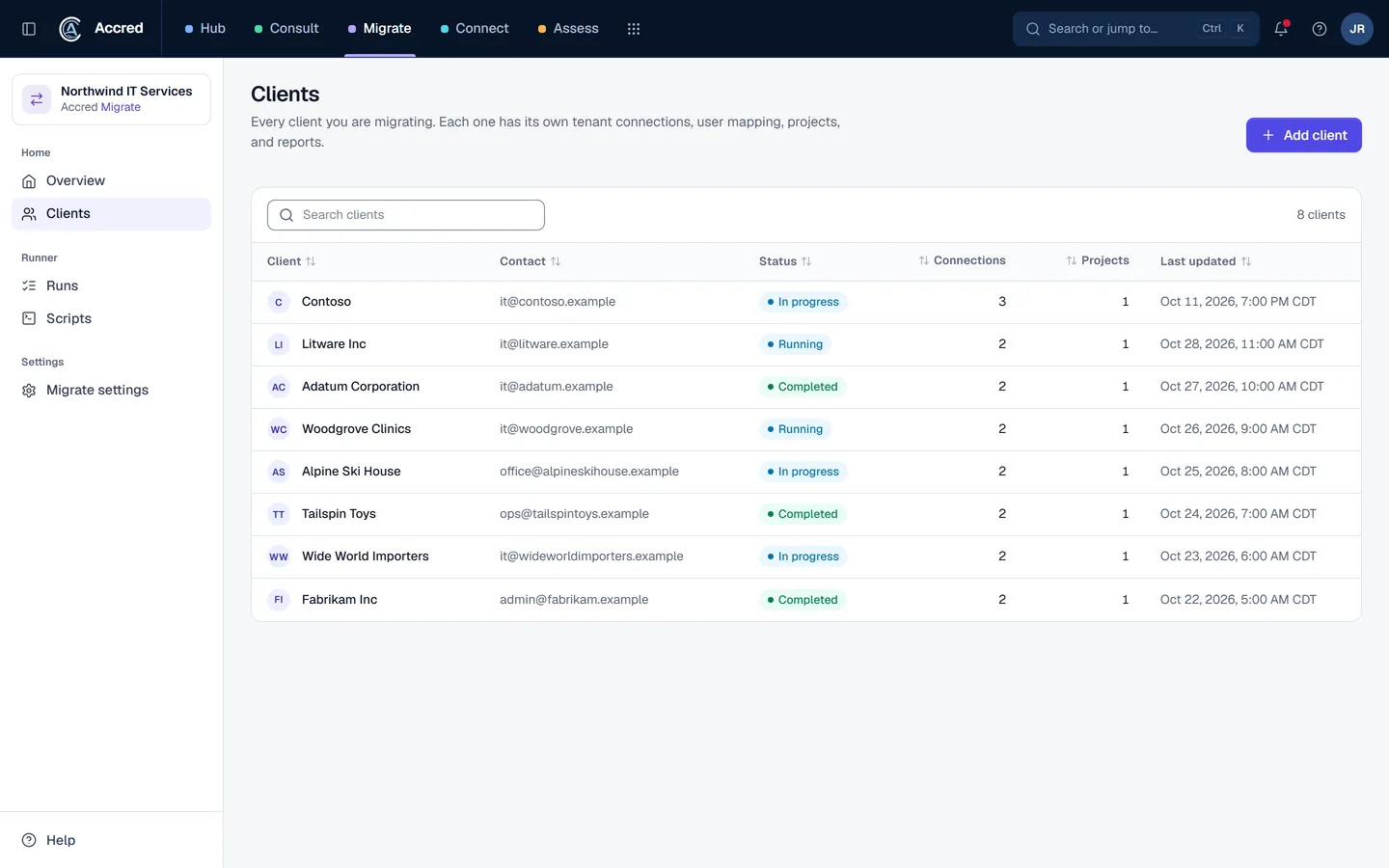
What Migrate does today.
Clients, tenants, and projects
Organize each migration around a client with its own source and destination tenants, projects, connections, mappings, cutover, and reports.
Mappings and scheduled waves
Import and review scoped object mappings, dependencies, readiness, and execution waves.
Workload paths
Plan Exchange Online, OneDrive, SharePoint, Teams, chat, and Microsoft 365 Group workloads, with a support matrix that marks each item tested live or tested with recorded data.
Guided project path and error triage
Follow each project through Connect, Map, Precheck, Pilot, Migrate, Validate, Cutover, and Sign-off, and triage run errors in bulk.
Let the agent do it. You stay in charge.
Ask how a move is going, then restart what paused. Anything that changes a run checks with you first.
- You
Fabrikam’s wave 3 paused overnight. What happened? Get it going again.
- Checked the runWave 3 · paused
- Grouped errorsErrors grouped by cause
- Proposed changeRetry failed items and resume wave 3You said yes
- Retried failed itemsFailed items queued
- Resumed the runWave 3 · copying
- Assistant
Wave 3 is copying again. I will tell you when it finishes.
- Ask
- Investigate
- Approve
- Done and logged
Migrate audit log
- Failed items retried
- Run resumed by you, via your assistant
An example with sample data.
Safe to hand over. Your rules, your access, your log.
Security- Your access, nothing moreYour assistant can do what your account can do. Hub checks your role on every request.
- A yes before changesYou choose Read only, or Read and make changes, when you connect. Changes check with you first.
- Logged as youEvery change is recorded in the app’s audit log as made by you, via your assistant.
- Microsoft consent firstNothing connects to a tenant until an administrator grants Microsoft consent.
Questions about Migrate
What is Accred Migrate?
Migrate gives technical teams one place for Microsoft 365 tenant-to-tenant programs: clients, source and destination tenants, projects, mappings, waves, runs, and errors.
- Scans, prechecks, and validation are read-only and never write to the destination tenant, and runs execute on a secure runner that must be online.
- Its support matrix marks each item as tested live between Accred test tenants or tested with recorded data, and items it does not mark as tested are not available for customer migrations.
Who is Accred Migrate for?
Choose Migrate when you are planning or running a Microsoft 365 tenant migration and need one place for scope, mappings, staged runs, and exceptions.
- Built for: Migration operators, Technical leads, Program managers.
What is the current availability of Accred Migrate?
Scans, prechecks, and validation are read-only and never write to the destination tenant.
- Runs execute on a secure runner that must be online.
- Its support matrix marks each item as tested live between Accred test tenants or tested with recorded data, and items it does not mark as tested are not available for customer migrations.
- Cancelling a run does not roll it back.
- Migration capacity is billed per migrated object (mailbox, OneDrive, site, team, or group); per-object prices are on the Pricing page.
How much does Accred Migrate cost?
Migrate has no seats, plan, or trial. An Owner or Admin turns it on in Hub at no charge, and every active member can open it with a role from their Hub role: Owners and Admins manage it, Members run migrations, and Viewers can view.
- You pay only for migration licenses: $5 per migrated object, once, whether it is a mailbox, a OneDrive, or a SharePoint site, team, or Microsoft 365 group.
- Teams chats are included with the user’s mailbox license.
- Reruns, retries, and incremental passes reuse the same license.
- No data caps: one license covers an object whatever its size.
- A license includes the self-serve migration in Accred Migrate and email support.
- Hands-on help, such as fixing site permissions, Teams remediation, or a site-by-site cutover, is quoted separately as Accred Consulting work.
- Buy licenses by card in Hub, up to 500 per purchase; above that, or to pay by invoice, request a quote in Hub.
How do I get started with Accred Migrate?
Create your organization in Hub, or sign in if your team already has one, then open its Migrate workspace.
- Check the support matrix for each workload.
How does Migrate fit with the other Accred apps?
Migrate owns migration planning, run control, and validation records.
- Hub governs access, Consult retains client delivery, and Connect retains device operations.
Further reading
Every guide- MigrationWiz, ShareGate, Quest, and Accred Migrate comparedTenant-to-tenant migration tools compared: MigrationWiz, ShareGate, Quest On Demand Migration, Microsoft’s native tools, and Accred Migrate, with prices.
- What is a migration wave in a tenant-to-tenant migration?A migration wave is a scheduled group of users and their mailboxes, OneDrive, and sites moved together. How to plan waves, and Microsoft’s native limits.
- How do you move a custom domain from one Microsoft 365 tenant to another?A domain is verified in only one tenant, so it moves at cutover: clear it from the source, verify it in the destination, set addresses, then switch MX.
- Microsoft 365 software for MSPsWhich MSP jobs Accred covers today, from client delivery and migrations to tenant administration, backup, and licensing, and what is not there yet.
- Microsoft 365 software for internal IT teamsHow an in-house IT team can use Accred to administer its own Microsoft 365 tenant, check Copilot readiness, enroll devices, and plan a tenant migration.
What Migrate costs.
$5per migrated object
Migrate has no seats, plan, or trial. An Owner or Admin turns it on in Hub at no charge, and every active member can open it with a role from their Hub role: Owners and Admins manage it, Members run migrations, and Viewers can view. You pay only for migration licenses: $5 per migrated object, once, whether it is a mailbox, a OneDrive, or a SharePoint site, team, or Microsoft 365 group. Teams chats are included with the user’s mailbox license. Reruns, retries, and incremental passes reuse the same license. No data caps: one license covers an object whatever its size. A license includes the self-serve migration in Accred Migrate and email support. Hands-on help, such as fixing site permissions, Teams remediation, or a site-by-site cutover, is quoted separately as Accred Consulting work. Buy licenses by card in Hub, up to 500 per purchase; above that, or to pay by invoice, request a quote in Hub.